
How to get the Audiobooks
The first step is to buy the books 😀
Go to shop.linziday.com (This is the ONLY place to get them).
Choose the book, books, or the bundle of the first three books. The bundle is by far the best value.
After you've purchased
You will receive two emails, one from me saying THANK YOU and, more excitingly, an email like the one below, from BookFunnel.
It has a link to the BookFunnel App and both a link and a code for your book. If you've purchased multiple books or the bundle, you will see different links and codes for each book.
If you are already using the BookFunnel app to listen to the audio bonuses, you are already 95% of the way there and can skip to the 'Getting the book' section below.
The easiest way to get the app is to click on the link in the email or go to this BookFunnel page which has links.
You can also find it on the usual app stores (Apple/Google).
The logo looks like this:

Once you've got the app, the next step is to get the book itself.
Note: You don't have to use the BookFunnel app to listen to the books. But it's easy and works perfectly, so it's what this guide will cover. If you want to listen on another app or on a computer, then you'll find instructions on BookFunnel's website. Just click the link in the email to get there.
Getting the book
If you are doing this on the device you want to listen on, just click the links in the email and it'll take you to the "Get My Book" page.
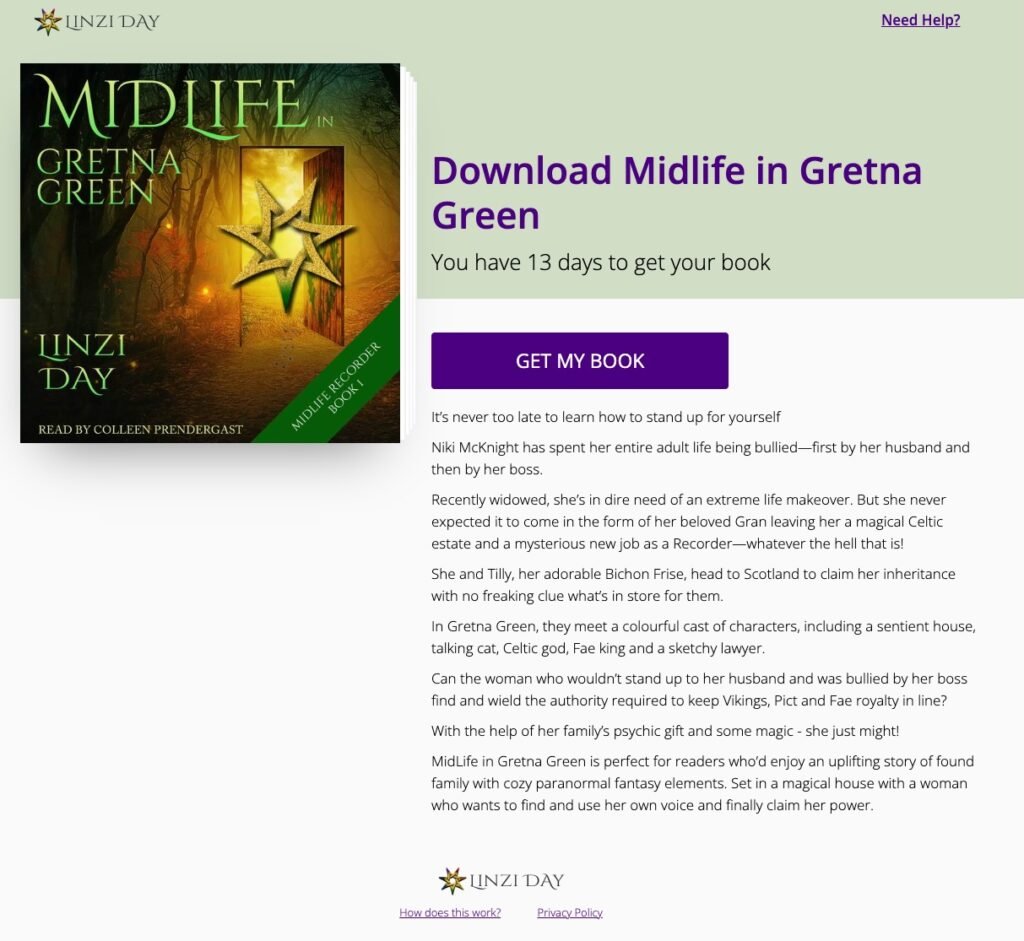
If you are doing this on a computer and want to listen on your device, you can simply type/paste the code from the email into the BookFunnel app. The place to put it is right on Bookfunnel's Home page:
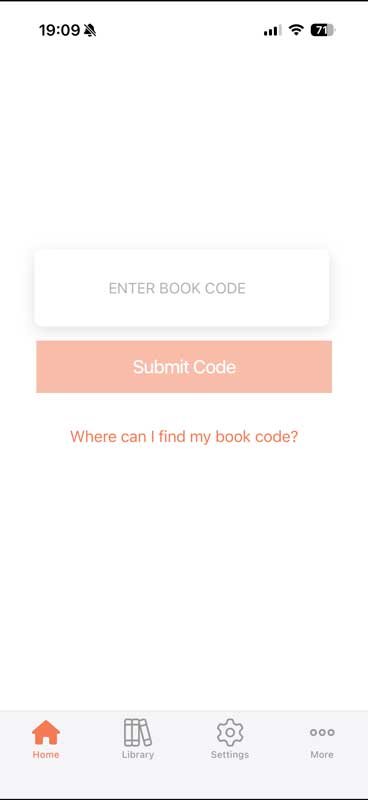
Once you've entered the code, or clicked the link and followed the instructions, you'll have the book in your library. (Go YOU!)
Click the Library button at the bottom to see all your books.
The ones with the corner stripe (across the bottom right corner) are the full books. The ones with the white flash straight across them are the bonuses.
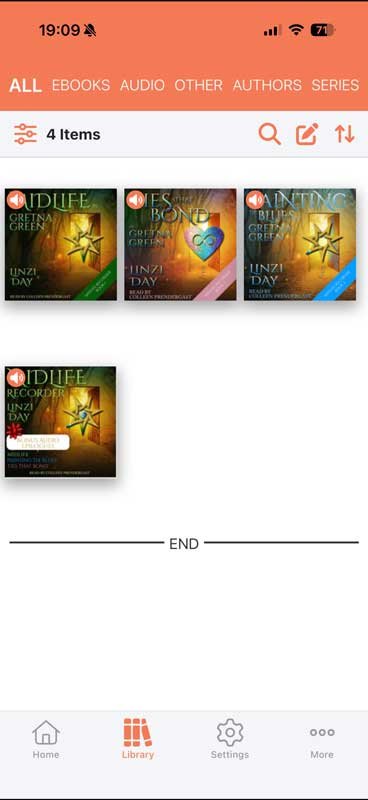
Note: You'll also find the bonuses here if you've downloaded them from the newsletter.
Not sure how to get the bonuses? Try this guide here:
How to get the Midlife Recorder audio bonuses
Listening to your new book
The next step is the best bit ... listening to your new audiobook!
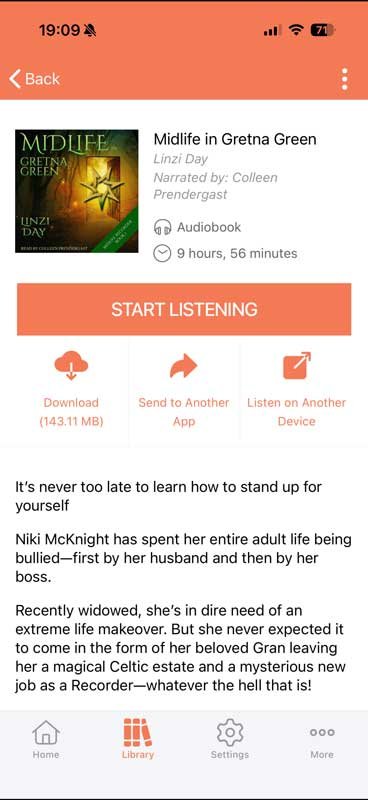
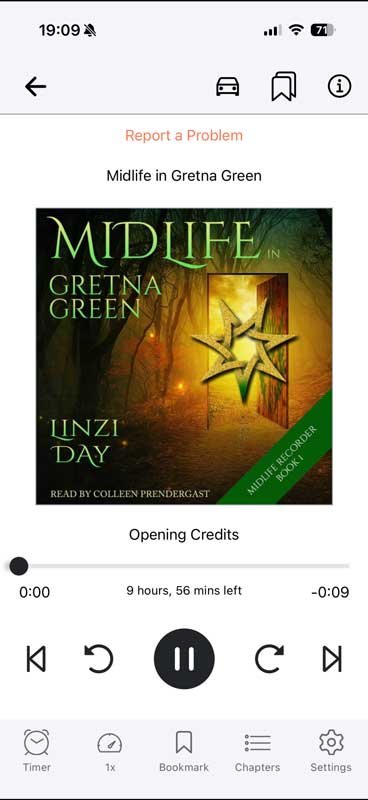
Click on whichever book you want to listen to, then choose START LISTENING.
Tip
The BookFunnel website has many helpful guides. If you get stuck, look there or contact their wonderful, human support team.
If you're looking for help to get the free audio bonuses for the Midlife Recorder series you can find that here.
If you're looking for help to get the text bonuses for the Midlife Recorder series you can find that here.